

Key Takeaways
Why Sync Problems Are More Common Than They Should Be
Automatic syncing is supposed to be invisible — data flows between your phone, tablet, laptop, and the cloud without you thinking about it. In practice, it breaks down more often than most people expect. Understanding why helps you fix issues faster and prevent them from recurring.
Modern sync systems are a patchwork. Your contacts might be stored in a Google account, an iCloud account, and a phone manufacturer account simultaneously. Your calendar could pull from three different services. Files might live in cloud storage, a local folder, or both — and not all apps agree on which copy is authoritative. That complexity is the root of nearly every mismatch you'll encounter.
To get more out of the software you already use, it helps to understand how data is actually stored and moved. Our article on cloud vs. local storage explains the trade-offs that directly affect sync behavior.
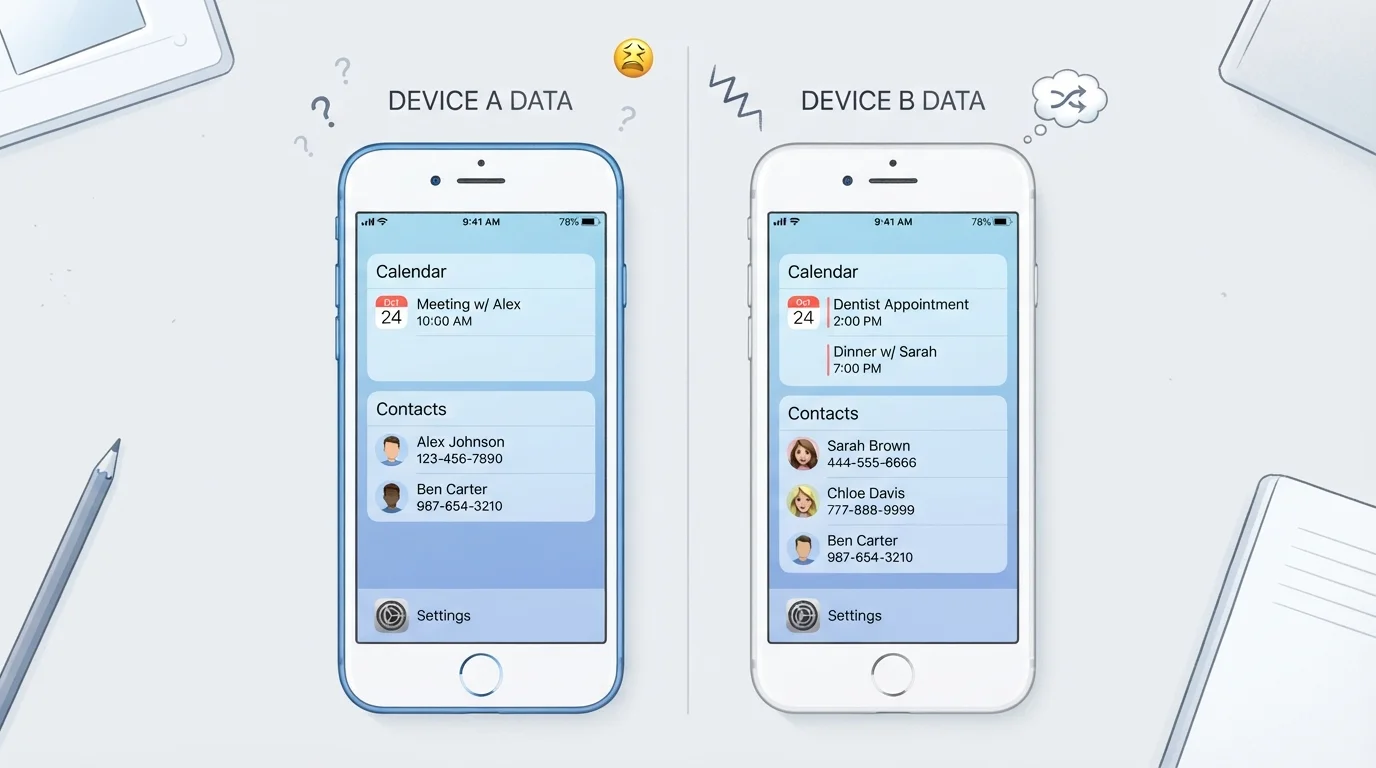
Being signed into different accounts on different devices, so each device syncs to a separate data silo.
Why it happens: It's easy to accidentally sign into a manufacturer account on one device and a Google or Apple account on another, especially during initial setup or after a factory reset.
Running out of cloud storage, which silently stops new files or data from syncing without a clear error.
Why it happens: Free cloud storage tiers fill up gradually, and many services stop syncing rather than overwriting older data — but they don't always surface a prominent alert.
Having the same contact or calendar source connected through multiple apps, which creates duplicate entries.
Why it happens: Adding a Google account to both your phone's native calendar and a third-party calendar app can cause both to write events back to the same account, resulting in duplicates.
Editing the same file or calendar event on two devices before either has had a chance to sync, creating a version conflict.
Why it happens: This commonly happens when a device goes offline — such as on a flight — and changes are made locally. When connectivity returns, two conflicting versions exist simultaneously.
Disabling background app refresh or restricting network access for sync apps, then expecting data to stay current.
Why it happens: Users often restrict background activity to save battery or data, not realizing this prevents calendar and contact apps from updating when the screen is off.
How to Diagnose and Recover from a Sync Conflict
Once you've identified which mistake is causing your issue, the fix usually follows a predictable path. Start by confirming which account or service owns the data in question — go into your device's account settings and look at what each account is permitted to sync. Disable sync briefly, then re-enable it to force a fresh handshake with the server.
2–3
Average accounts active on a typical smartphone
Most Android and iOS users have at least two active sync accounts (e.g., Google and a manufacturer account), which is a leading cause of duplicate data.
15 GB
Free storage offered by major cloud providers
Google, Apple, and Microsoft each offer limited free cloud storage tiers; once full, sync can halt silently across all connected services.
For duplicate contacts specifically, most platforms now offer a built-in merge tool. On Android, the Contacts app includes a "Merge & fix" option. On iOS, iCloud.com provides a web interface where duplicates can be reviewed before merging. Use these tools rather than manually deleting entries, which risks removing the wrong copy.
If files are missing or out of date, check the "Recently deleted" or trash folder inside your cloud storage app before assuming data is gone. Many services retain deleted files for 30 days or more.
When setting up a new device, getting sync configuration right from the start prevents most of these problems entirely. Our guide to setting up a new device without the headaches walks through account and data transfer steps in the right order. And if your phone feels sluggish around the same time sync starts failing, background processes may be the common cause — see what's actually happening in the background for context.
Don't Merge Contacts Blindly
Built-in merge tools are helpful, but they make assumptions about which fields to keep. Before running a bulk merge, spot-check a few entries to confirm the tool is retaining the correct phone numbers, email addresses, and notes. Some merges are not easily reversible without a backup.