

Key Takeaways
The Confusion Is More Common Than You Think
Walk into any conversation about buying a new phone or laptop and you'll hear it: someone says they need "more memory" when what they actually want is more room for photos, or they complain a device is "out of storage" when what's really happening is the device is struggling to run multiple apps at once. These are two very different problems with two very different fixes — and mixing them up can mean spending money on the wrong thing.
The misunderstanding is understandable. Both RAM and storage are measured in gigabytes (GB), both live inside your device, and both sound like some version of "space." But they serve completely different roles. Understanding that distinction is one of the most practical things any device owner can learn. As spec-reading errors go, this one ranks among the most consequential.
Myth
RAM and storage are basically the same thing — both are just memory your device uses.
Fact
RAM is temporary working memory used by active processes; storage is permanent space for files and apps.
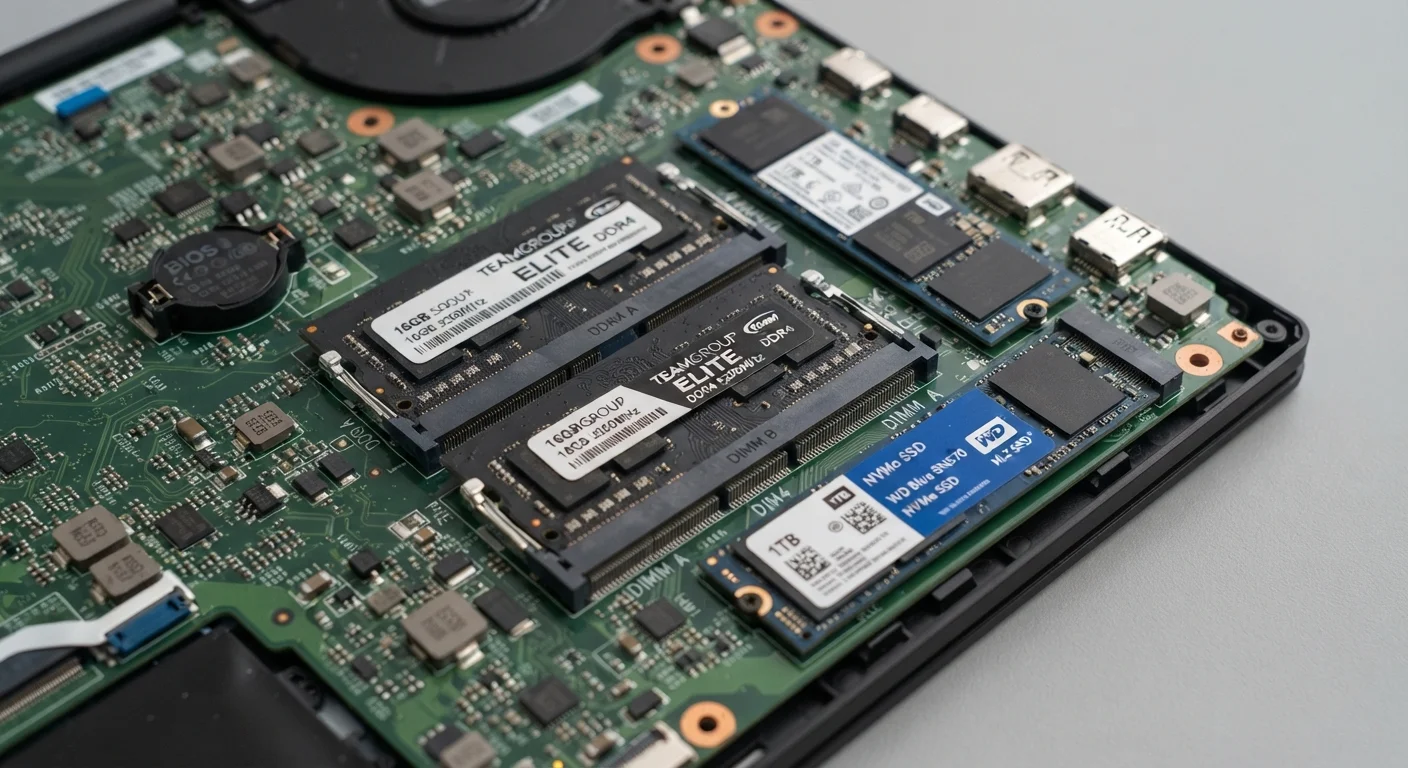
The word "memory" gets applied loosely in everyday conversation, which is the root of this confusion. Technically, RAM refers specifically to volatile, fast-access working memory. Storage (sometimes called "disk space" or "memory" in casual use) is non-volatile and persistent. They are different physical components, measured differently for different purposes, and a deficiency in one cannot be fixed by adding more of the other.
Myth
If I'm running out of storage, adding more RAM will free up space on my device.
Fact
RAM and storage are separate resources — increasing RAM has no effect on how much file storage you have.
A device with 8 GB of RAM and 64 GB of storage will still have exactly 64 GB of file storage even if you somehow doubled its RAM. Likewise, deleting files to free up storage space will not make your device run faster if the bottleneck is insufficient RAM. Each resource serves its own function; the only way to address a storage shortage is to delete files, add a compatible storage card where possible, or use cloud services.
Myth
More storage means a faster device.
Fact
Raw storage capacity does not determine processing speed; RAM and processor speed are the primary performance factors.
It's true that a nearly full storage drive can slow some operations — the operating system needs a small buffer of free space to write temporary files. But going from 128 GB to 512 GB of storage on an otherwise identical device will not make apps open faster or multitasking smoother. Those improvements come from more RAM or a faster processor. Storage size governs how much you can save, not how fast the device can work.
Myth
On smartphones, you can always upgrade RAM or storage later if you need more.
Fact
RAM in virtually all modern smartphones is soldered to the motherboard and cannot be upgraded; storage expandability varies by model.
Unlike traditional desktop computers, the vast majority of smartphones and tablets are built with RAM permanently integrated into the chipset — it is not a removable module. This means the RAM you buy the phone with is the RAM you'll always have. Some Android devices support expandable storage via a microSD card, but many flagship models have removed that option. This makes it especially important to evaluate both specs carefully before purchasing, rather than assuming you can upgrade later.
What RAM Actually Does
RAM — short for RAM — is your device's short-term working area. When you open a browser, load a spreadsheet, or switch between apps, your device pulls the relevant data into RAM so the processor can act on it instantly. RAM is fast, volatile, and temporary: everything stored there disappears the moment the device powers off.
Think of RAM as a physical desk. The bigger the desk, the more work you can spread out at once without having to constantly retrieve things from a filing cabinet. A device with limited RAM has to constantly shuffle tasks in and out, which is why low-RAM devices feel sluggish when you switch apps or run several programs simultaneously. If your phone is slowing down under normal use, RAM is one of the first specs worth examining — and our article on what's actually happening in the background goes deeper on this.
6–8 GB
Typical RAM in a midrange smartphone
Most midrange Android phones released in recent years ship with 6 to 8 GB of RAM, while flagship models increasingly offer 12 GB or more.
128 GB
Common base storage in modern phones
128 GB has become the standard entry-level storage configuration for many current smartphones, with higher-end options reaching 512 GB or 1 TB.
What Storage Actually Does
Storage — whether it's a hard drive, SSD, or the flash memory in your phone — is your device's long-term holding space. It's where your operating system, installed apps, photos, videos, documents, and downloaded files live permanently, with or without power. Storage is slower than RAM but vastly higher in capacity. A midrange smartphone today typically ships with 128 GB or more of storage, compared to 6–12 GB of RAM.
Returning to the desk analogy: storage is the filing cabinet. A bigger filing cabinet lets you keep more documents. But if your desk (RAM) is too small, you'll work slowly even if your cabinet is enormous. The two problems — running out of working space versus running out of saving space — have completely different solutions. For more on where your saved files actually reside, especially once cloud services enter the picture, see cloud storage vs. local storage.
Don't Assume Storage Can Be Expanded
Many buyers assume they can add a microSD card later to compensate for choosing a lower-storage model. However, a growing number of smartphones and tablets — including many flagship devices — no longer include a microSD slot. Before selecting a lower-storage configuration to save money, verify whether the specific device model supports expandable storage. Cloud storage can supplement, but it requires an internet connection and typically a subscription.
How to Read Any Spec Sheet Correctly
On any device listing — phone, laptop, or tablet — RAM and storage appear as separate entries. You'll commonly see formats like 8 GB RAM / 256 GB Storage or 16 GB / 512 GB. The smaller number is almost always RAM; the larger is storage. If a listing shows only one number without labeling, that's a red flag worth investigating before purchasing.
When evaluating a device for your needs, consider each spec independently. Need to run demanding software, edit video, or keep many browser tabs open? Prioritize RAM. Need to store large media libraries or install many applications locally? Prioritize storage. It's also worth remembering that storage can sometimes be expanded with a memory card or supplemented with cloud services, while RAM in most modern devices — especially phones and tablets — is fixed at the factory and cannot be upgraded later. Just as a higher mAh rating doesn't automatically mean a better battery (as explored in battery capacity numbers), a higher storage figure doesn't mean a faster or more capable device.
RAM Cannot Be Upgraded After Purchase on Most Devices
On nearly all modern smartphones and tablets, RAM is permanently soldered to the main circuit board at the factory. There is no slot, card, or upgrade path. If you buy a device with 4 GB of RAM and later find multitasking sluggish, the only solution is a new device. Always evaluate RAM carefully upfront — it is the one spec you cannot change.