

Key Takeaways
Our Verdict
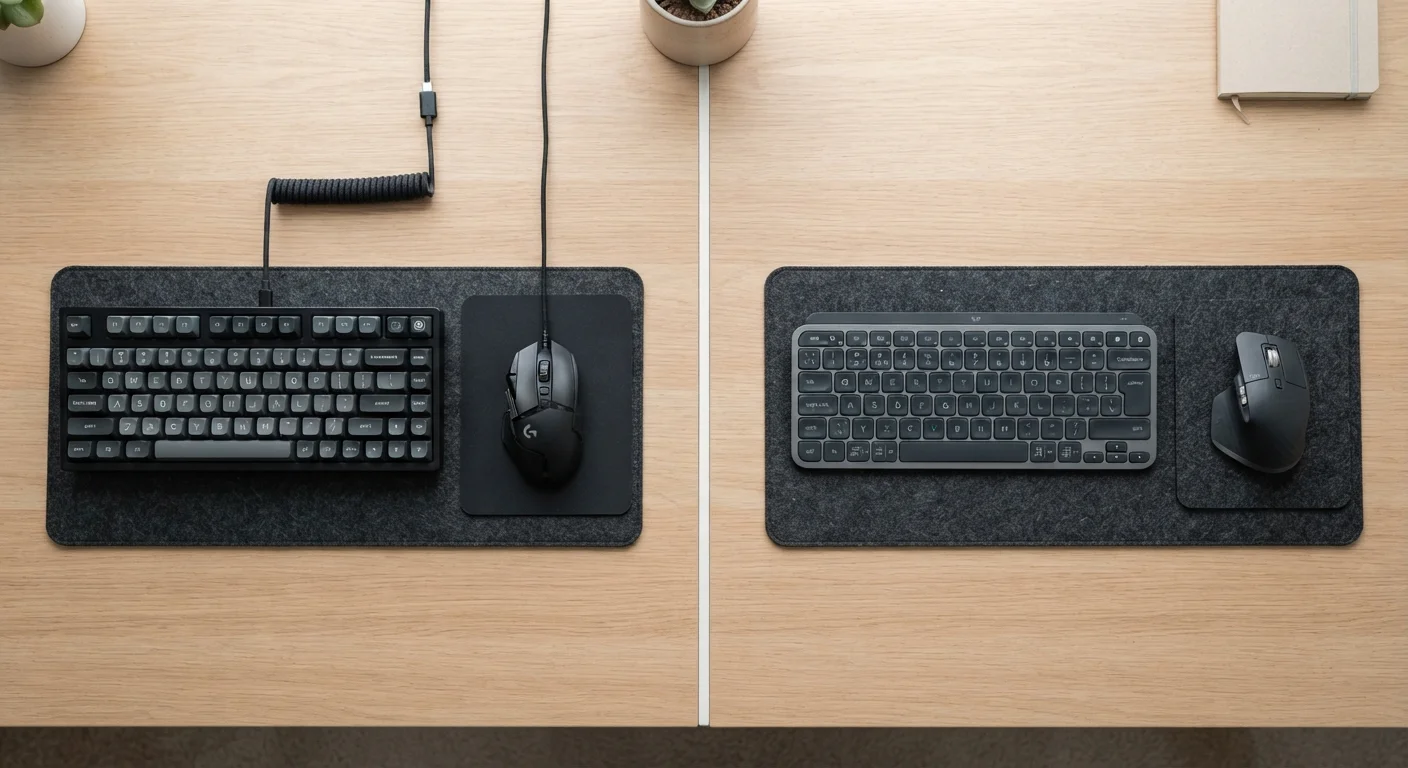
Wired peripherals remain the most reliable choice when consistent, zero-maintenance performance is the priority — particularly for tasks requiring precise input. Wireless peripherals have closed the gap significantly and offer meaningful advantages for clean desk setups, multi-device users, and those who value freedom of movement. Neither is universally superior; the right answer depends on your specific context and tolerance for trade-offs.
| Best for | Recommended |
|---|---|
| Precision-demanding or uninterrupted-input scenarios | Wired peripherals |
| Clean desk setups and users who move devices frequently | Wireless peripherals |
| Shared or public workspaces with crowded 2.4 GHz environments | Wired peripherals |
| Multi-device users who switch between computers or platforms | Wireless peripherals |
Latency: The Spec That Gets Misunderstood Most
Input latency — the time between a physical action and its registered effect on screen — is the central argument for wired peripherals. A USB-wired mouse or keyboard communicates with a host PC at a polling rate typically measured in milliseconds, with no signal encoding or transmission overhead. The signal path is direct and deterministic.
Wireless peripherals introduce additional processing steps: the device encodes input, transmits it via radio frequency, and the receiver decodes it before passing it to the system. Early Bluetooth peripherals made this gap noticeable. However, dedicated 2.4 GHz USB receivers — the small dongles that ship with many wireless mice and keyboards — operate at polling rates that, in controlled testing, are often indistinguishable from wired connections for general computing tasks.
Bluetooth remains more variable, with latency typically higher than 2.4 GHz wireless, though Bluetooth 5.0 and later versions have narrowed this considerably. For office productivity, casual use, or media consumption, Bluetooth's latency is unlikely to be perceptible. For applications where every millisecond matters, a dedicated 2.4 GHz receiver or a wired connection is the more defensible choice.
1 ms
Typical wired USB polling interval
USB HID devices operating at 1,000 Hz polling report input every 1 millisecond, setting the baseline for latency comparisons.
~7–15 ms
Typical Bluetooth input latency
Bluetooth 5.0 latency for peripherals typically falls in this range, though actual figures vary by device implementation and environment.
Reliability, Interference, and the Wireless Environment
Wireless peripherals share radio spectrum with Wi-Fi routers, smart home devices, microwaves, and neighboring networks. The 2.4 GHz band, used by most wireless peripherals and older Wi-Fi equipment, is particularly congested in dense environments like apartments or open-plan offices. This congestion can cause signal dropouts, intermittent lag spikes, or missed inputs — problems that simply do not exist with a wired connection.
Most dedicated 2.4 GHz receivers use frequency-hopping spread spectrum (FHSS) — a technique where the device rapidly cycles through frequencies to avoid interference — which significantly reduces dropout risk. Still, in heavily congested environments, some interference is possible. Wired connections are immune to RF interference by design.
Battery dependency is a uniquely wireless concern. A wired peripheral works as long as it's connected; a wireless one requires charging or fresh batteries. A flat battery mid-task is a disruption a wired setup never creates. On the other hand, rechargeable wireless peripherals have improved in battery life substantially — many keyboards and mice now last weeks to months on a single charge depending on usage patterns.
Reduce Wireless Interference Practically
If you're experiencing dropouts with a wireless peripheral, try moving the USB dongle closer to the device using a short USB extension cable. Plugging it into a front USB port rather than a rear panel — or using a cable to position it on your desk — can significantly improve signal consistency. Also consider switching your Wi-Fi router to the 5 GHz band to reduce congestion on 2.4 GHz.
Comparing Peripheral Types: Where Each Excels
The wired vs. wireless trade-off plays out differently depending on the peripheral category.
Mice: Wired mice have no battery to manage and no latency overhead. Wireless mice with dedicated receivers perform nearly on par for most tasks, with the added benefit of unencumbered movement. Mice with very high polling rates (1,000 Hz or above) are available in both categories.
Keyboards: Wired keyboards are simple and consistent. Wireless keyboards add Bluetooth flexibility — many support pairing to multiple devices and switching between them, which is valuable for users who work across a laptop, desktop, and tablet.
Headsets: Audio introduces its own dynamic. Wired headsets deliver lossless audio with no compression artifacts. Wireless headsets using Bluetooth must compress audio, which can affect quality depending on the codec used (SBC, AAC, aptX, LC3 are common examples with varying fidelity). Wireless also introduces potential audio latency, which matters for video editing, gaming, or any task where audio sync is critical.
Controllers and gamepads: Wireless controllers are now standard for console use, and most perform reliably. For competitive applications where input consistency is scrutinized, wired connections remain preferred by some users.
| Wired | Wireless (2.4 GHz Dongle) | Wireless (Bluetooth) | |
|---|---|---|---|
| Input latency | Lowest — direct connection | Near-wired in most scenarios | Higher; varies by version |
| Interference risk | None | Low with FHSS | Moderate in congested environments |
| Battery/power | No battery needed | Rechargeable or battery | Rechargeable or battery |
| Multi-device pairing | Not supported | Single device per dongle | Typically 2–3 devices |
| Audio quality (headsets) | Lossless, no compression | N/A for most headsets | Compressed; codec-dependent |
| Desk cable management | Cable required | No cable for peripheral | No cable for peripheral |
| USB port usage | 1 port per device | 1 dongle port (shared) | None (built-in receiver) |
For context on how USB connection types and speeds affect peripheral performance, see how USB standards work.
Making the Right Choice for Your Setup
Neither wired nor wireless is objectively superior across all contexts. The honest framework is to match the connection type to your actual use case.
If your desk is fixed, you rarely move equipment, and you value simplicity with no maintenance overhead, wired peripherals remain a clean, dependable choice. If you frequently shift between workspaces, want a tidier desk, or need to pair one keyboard or mouse to multiple devices, wireless offers real convenience advantages that have little to do with cord clutter.
It's also worth questioning the assumption that price alone determines performance. As explored in common spec misconceptions, a premium price tag doesn't guarantee lower latency or better build quality — specification reading matters more than marketing.
Similarly, if you're thinking about wireless interference in the context of your broader home network, the Wi-Fi vs. Ethernet trade-off follows a parallel logic: wired connections remove a variable, while wireless adds flexibility at some cost to consistency.
Ultimately, understanding what you're actually trading — not just cables for freedom, but also battery maintenance, potential interference, and in some cases audio compression — puts you in a much stronger position to choose the setup that genuinely fits how you work.