

| Core requirement for true offline | Data stored locally on device before disconnecting |
| Most reliable offline category | Navigation (with pre-downloaded maps) and e-readers |
| Common misconception | "Synced" files in cloud storage are not automatically available offline |
| Feature to check in settings | "Make available offline" or "Download for offline use" toggle |
| What offline mode typically excludes | Real-time updates, live feeds, new purchases, and account sync |
| Best prep step | Test offline function in airplane mode before relying on it |
What 'Offline Mode' Actually Means
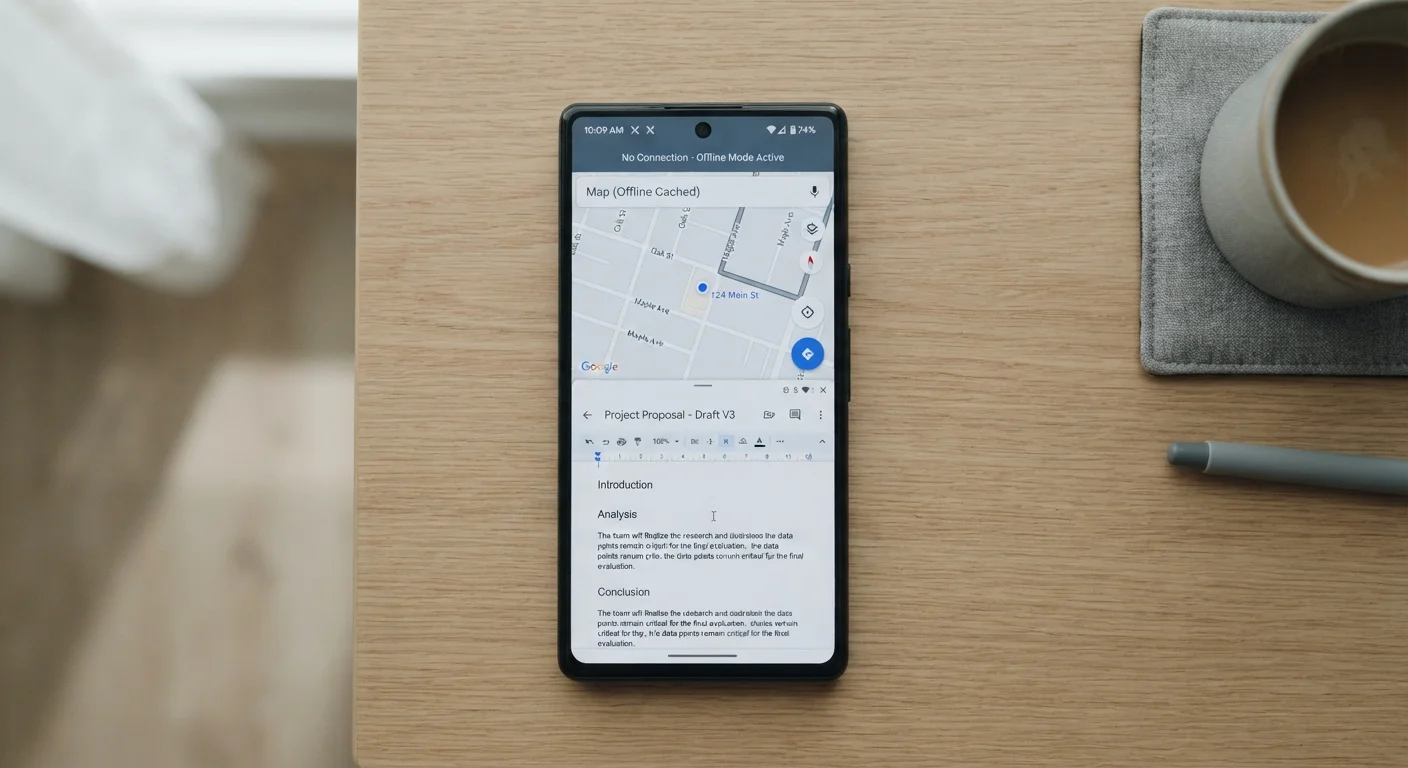
When an app claims to work offline, it's describing a spectrum — not a simple yes or no. At one end, an app stores a complete copy of everything you need directly on your device. At the other end, an app slaps an 'offline' label on a feature that quietly fails the moment your connection drops. Understanding where your most-used apps fall on that spectrum can save real frustration — especially when traveling, commuting, or dealing with unreliable Wi-Fi.
| Core requirement for true offline | Data stored locally on device before disconnecting |
| Most reliable offline category | Navigation (with pre-downloaded maps) and e-readers |
| Common misconception | "Synced" files in cloud storage are not automatically available offline |
| Feature to check in settings | "Make available offline" or "Download for offline use" toggle |
| What offline mode typically excludes | Real-time updates, live feeds, new purchases, and account sync |
| Best prep step | Test offline function in airplane mode before relying on it |
The core distinction comes down to local storage vs. server dependency. Apps that cache data locally — documents, maps, audio files — can serve that content without any network call. Apps that depend on live server requests, even for basic display, will stall or error out the moment connectivity disappears. Crucially, the latter often don't tell you this upfront.
If you've ever wondered why your phone's background behavior affects what you can access offline, see our piece on what's actually happening in the background — background sync and cache management directly determine what's available when you go offline.
Apps That Genuinely Work Offline
Some categories of apps are designed with offline-first architecture, meaning their core function operates entirely from locally stored data.
- Navigation apps with downloaded maps: When you download a region's map data ahead of time, turn-by-turn navigation runs from GPS signals and local data — no data connection required. Real-time traffic updates do require connectivity, but the core routing does not.
- Document editors with local sync: Many productivity suites allow you to work on files stored on-device. Edits are queued and synced when you reconnect. The catch: files must be explicitly marked for offline access — auto-sync does not always do this by default.
- Music and podcast apps with downloads: Downloaded audio plays fully offline. Streaming queues, personalized recommendations, and library updates require a connection — but pre-downloaded content is reliable.
- Note-taking apps: Apps that use local-first databases store your notes directly on the device. Changes sync to the cloud when online, but reading and writing works without it.
- E-readers: Downloaded books and documents are entirely local. Syncing reading progress or purchasing new titles requires connectivity.
Local storage
Data saved directly on a device's internal memory or storage, accessible without any network connection. Apps using local storage can function fully offline once content is downloaded.
Caching
The process of temporarily storing copies of data (web pages, images, files) on a device so they can be accessed again quickly without re-downloading. Cached data may expire or be cleared by the OS.
Offline-first architecture
A design approach where an app is built to function fully without internet access, syncing changes to a server only when a connection is available. This is distinct from apps that simply degrade when offline.
Service worker
A background script used in web-based apps to intercept network requests and serve cached content when offline. Without one, browser-accessed apps typically fail entirely without a connection.
Cloud sync
Automatic transfer of files or data between a device and a remote server. Synced files are stored on the server and require a connection to access unless also explicitly downloaded locally.
Apps That Only Pretend to Work Offline
Several popular app categories advertise offline support but deliver it only partially — or not at all for anything beyond a loading screen.
- Social media feeds: Most platforms cache recent posts briefly, but refreshing, interacting, posting, or viewing anything beyond the cached snapshot fails immediately offline. The cached view can feel functional until you try to do anything with it.
- Cloud-only storage viewers: If a file isn't explicitly downloaded to your device, tapping it in a cloud storage app offline produces an error. Many users assume synced means downloaded — it typically doesn't unless you've toggled a specific offline availability setting.
- Streaming video: Without downloads, video apps are entirely dependent on active streaming. Even apps that support downloads often restrict the feature by subscription tier, number of simultaneous downloads, or content licensing.
- Web-based apps accessed via browser: Browser-accessed tools that haven't implemented a service worker (a background script enabling offline caching) will show a blank page or error. This is a key reason why native apps and web apps behave differently under the same network conditions.
This is also worth keeping in mind when traveling. If you rely on apps abroad, understanding offline behavior before departure matters. Our guide on how international roaming and eSIMs work covers when you may have limited data access and why offline prep is essential.
How to Actually Prepare for Offline Use
The most reliable approach is to treat offline mode as something you configure deliberately — not something that just happens.
- Download before you disconnect. For maps, music, video, and documents, explicitly trigger the download while on Wi-Fi. Don't assume your app has cached what you'll need.
- Check app settings for offline toggles. Many apps bury the offline-enable option inside settings or file-level menus. Look for labels like "Make available offline," "Download for offline use," or "Offline sync."
- Test before you rely on it. Enable airplane mode and open the app. If it fails in that controlled environment, it will fail when you need it.
- Mind storage space. Downloaded offline content consumes local storage. This is one practical reason to audit which apps you're actually using — fewer installed apps typically means more room for offline content that matters.
Understanding what apps do with your data — both online and off — is also related to what permissions they request. For a fuller picture, see what app permissions actually mean.