

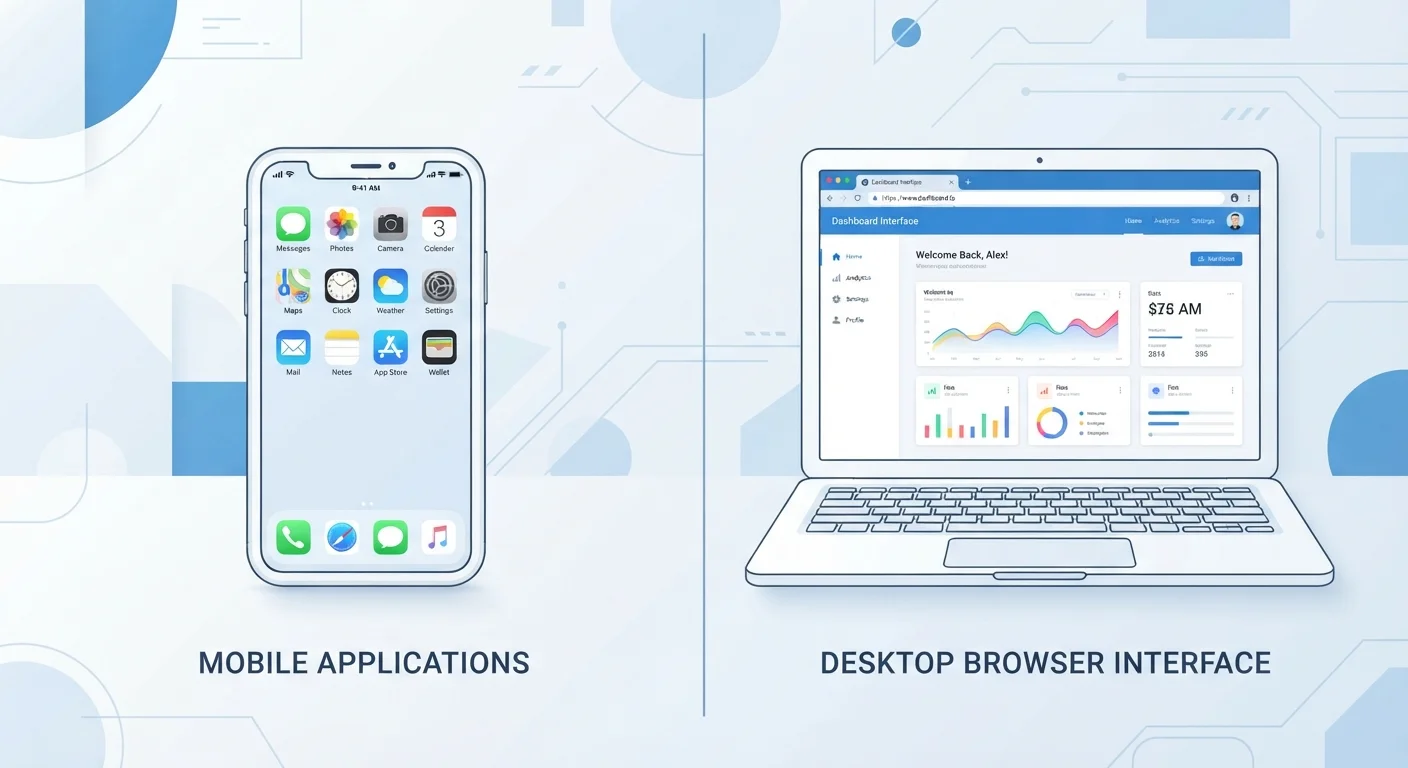
Key Takeaways
Option A
Native Apps
The downloaded, device-integrated experience.
Best for: Users who want peak performance, offline access, and deep device feature integration.
Option B
Web Apps
The browser-based, platform-agnostic alternative.
Best for: Users who prioritize instant access, cross-device flexibility, and no installation overhead.
If you need reliable offline functionality
Native Apps
Native apps can store data locally and function without a network connection in ways most web apps cannot genuinely replicate.
If you switch between multiple devices or operating systems
Web Apps
Web apps run in any modern browser regardless of device, making them inherently portable across platforms.
If performance and responsiveness matter most
Native Apps
Native code runs closer to the hardware, reducing latency and enabling smoother animations and faster load times.
If you want to avoid managing downloads, installs, or storage
Web Apps
Web apps require no installation and update automatically on the server side, with nothing to manage on your end.
If device features like camera, biometrics, or location are central to your task
Native Apps
Native apps have privileged, standardized access to device hardware that web apps can only partially replicate through browser APIs.
What Makes an App 'Native' or 'Web'?
The distinction comes down to where software lives and how it communicates with your device. A native app is a program installed directly on your device — downloaded from an app store or package installer — and built specifically for that operating system, whether iOS, Android, Windows, or macOS. It runs using the device's own resources and can speak directly to hardware components.
A web app, by contrast, runs inside a browser. You navigate to a URL, and the software loads from a remote server. Nothing is formally installed. The browser acts as a sandbox between the software and your device's hardware, which provides security benefits but also introduces limitations.
This architectural difference — installed vs. streamed — is what produces the behavioral gaps users notice: why one version of a service loads faster, why another works without Wi-Fi, or why push notifications only arrive through the downloaded version.
| Criterion | Native Apps | Web Apps |
|---|---|---|
| Installation | Downloaded and installed on device | Accessed via browser URL, no install |
| Performance | Generally faster, hardware-optimized | Browser-dependent, improving steadily |
| Offline access | Typically available with cached data | Limited; requires server for most tasks |
| Hardware access | Full OS-level permission system | Restricted browser API access |
| Updates | User-initiated via app store | Automatic on server side |
| Cross-platform availability | Separate build per platform required | Works on any modern browser |
| Storage use | Consumes device storage | Minimal local footprint |
Performance, Permissions, and Offline Behavior
Native apps run compiled code designed for a specific platform, which means they can use device memory and processing power more efficiently. This is why graphics-heavy or latency-sensitive software — video editing tools, games, real-time communication apps — almost always performs better as a native app.
Permissions work differently too. When a native app requests access to your camera or location, it goes through the operating system's permission system. Understanding what those requests mean in practice is worth exploring — see what app permissions actually mean before granting access reflexively.
Web apps operate through browser-level APIs, which are improving but remain more restricted. Some location and camera access is available via browser, but features like background sync, Bluetooth, or detailed sensor data are typically unavailable or unreliable in web contexts.
Offline behavior is one of the starkest differences. Native apps can cache data locally and function without any connection. Web apps generally require a server to do anything meaningful — though this is changing. Not all offline modes are equal, and the gap between native and web offline capability remains significant.
~60%
Global web traffic via mobile browsers
Statcounter data consistently shows the majority of worldwide web traffic originates from mobile browsers, underscoring why web app compatibility matters across device types.
3–5×
Higher engagement rate in native vs. mobile web
Industry research from mobile analytics firms has found native app sessions tend to be significantly longer and more frequent than equivalent mobile web sessions for the same service.
Progressive Web Apps: The Middle Ground Worth Knowing
Progressive Web Apps (PWAs) are a category that deliberately blurs the boundary. A PWA is a web app built with additional capabilities — it can be added to a home screen, load from a cache when offline, and deliver push notifications in supported environments. The experience approaches native behavior without requiring an app store download.
PWAs are now common among productivity tools, news platforms, and lightweight utilities. They update silently on the server side, meaning the version you use is always current. That said, PWA capability varies by browser and operating system — some features available on Android Chrome may not function on iOS Safari.
PWA Capability Varies by Platform
Progressive Web Apps behave differently depending on the browser and operating system combination. Push notifications and home screen installation work well on Android with Chrome, but iOS has historically imposed more restrictions through Safari. Apple has expanded PWA support in recent iOS updates, but full feature parity with Android PWAs is not guaranteed. Always test a specific PWA on your own device before assuming it will behave like a native app.
For storage-conscious users, PWAs offer a practical middle ground: reduced storage footprint compared to native apps, with broader functionality than a standard web page. This intersects with how you think about where your files and app data actually live.
What This Means for How You Use Software Daily
Knowing which type of app you're using helps explain behavior that might otherwise seem like a bug. If a service logs you out frequently, it may be a web app relying on browser session cookies rather than persistent device credentials. If a tool doesn't work on your flight, it's likely web-dependent rather than genuinely offline-capable.
It also affects your digital footprint. Native apps accumulate on your device and contribute to storage use and background activity. Periodically reviewing what's actually installed — versus what you actually use — is a worthwhile habit. Auditing your installed apps is a practical way to reclaim space and reduce unnecessary background processes.
Finally, consider how native versus web affects data continuity. A native app can store data locally, but if the service shuts down, that relationship with remote servers is severed. Understanding what happens to your data when a service closes applies to both app types — but native app users may have a false sense of security about locally stored data that's actually server-dependent.